mirror of
https://github.com/ultrasn0w/foo_drpc.git
synced 2026-10-26 02:34:16 +01:00



foo_drpc
Foobar2000 music status for Discord Rich Presence!
Notice
I'm currently no longer actively developing this, but will still merge PRs and reference releases at the release page.
How to use
- Grab release, drop included foo_drpc directory in %userdir%\AppData\Roaming\foobar2000\user-components\ (if you have not moved your AppData somewhere else) or place included .dll Files in \foobar2000\components.
2. Add foobar2000 to discords detected games (Settings -> Games -> Add it).
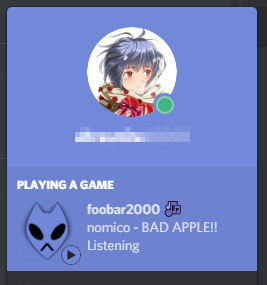
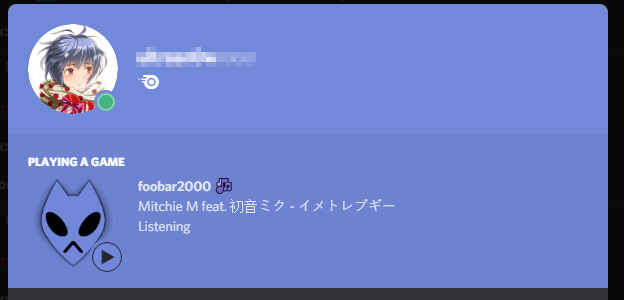
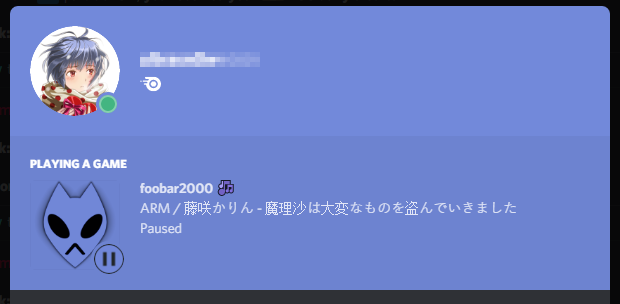
How to compile
- Compiled with VS 2017.
- Grab foobar2000 SDK and create \foo_drpc\ directory in \foobar2000.
- Drop contents from repository in the prevoiusly created \foo_drpc.
- Grab release from https://github.com/discordapp/discord-rpc and place \lib\ with contained discord-rpc.lib in \foo_drpc.
- Do the same with \include\discord-rpc.h but this time directly into \foo_drpc.
- Get/Create a Discord Application ID which resembles your App at Discords end and fill in to \Plugin.h.
- Upload 1 large asset for your App with the key "logo", 3 small ones with keys "play", "stop" and "pause".
License and Warranty
Check LICENSE.
Note: Even though I build in a "spam protection" to avoid lots of presence updates being send to the discord servers, I can't guarantee and am not responsible for any actions that may be taken against your account. (Nothing happened during personal testing)